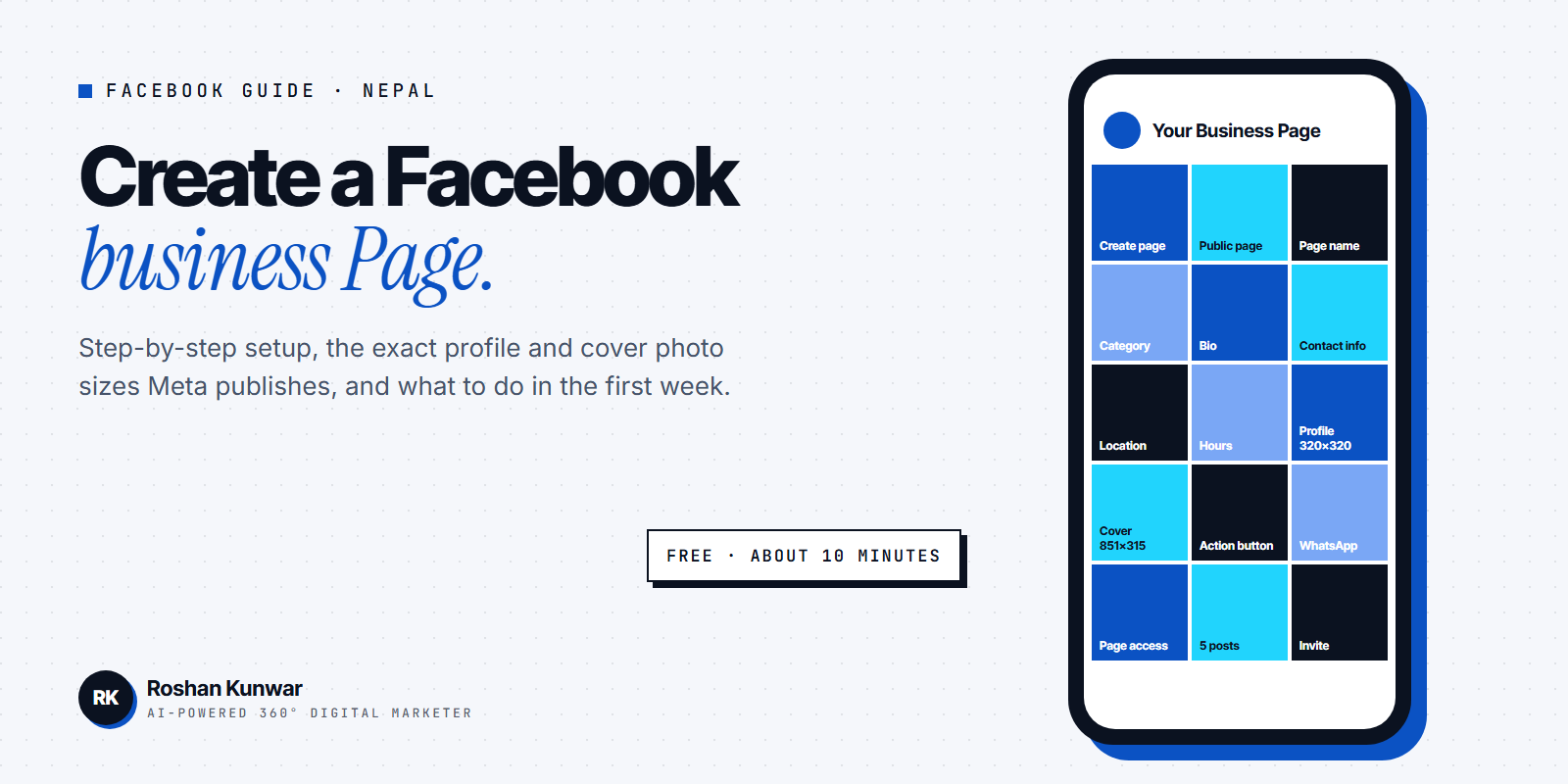
Almost every business in Nepal starts its online presence with a Facebook Page, and many of them are set up in a hurry from a personal profile with the wrong category, no contact details and a stretched cover photo. This guide shows how to create a Facebook business Page properly, the exact image sizes Meta recommends, and what to do in the first week so the Page brings enquiries rather than just sitting there.
The steps and sizes below are from Meta's help pages Create a Facebook Page, How to create a Facebook Page for your business and Profile picture and cover photo dimensions, checked on 11 November 2026.
Page, profile or group: which one does a business need?
Meta's help page is clear that a Page is for businesses, brands, organisations and public figures to share updates and connect with people. It is different from:
- Pro mode, a setting that gives a personal profile creator tools.
- Groups, which are for communicating with a group of people around a shared interest.
For a shop, clinic, institute, restaurant or agency, create a Page. Anyone with a Facebook account can create a Page or help manage one, and when someone follows your Page they start seeing your updates in their Feed. Running a business from a personal profile means you cannot run ads properly, cannot give staff access safely and cannot show hours, address and reviews the way a Page can.
Step-by-step: create the Page on a computer
Meta's steps for a computer are:
- Log in to Facebook, then click Pages on the left.
- Click Create page.
- Select Public page, then click Next.
- Click Get started.
- Add your Page name and category.
- Add an optional bio and click Create Page.
- Add information such as contact info, location and hours.
- Select your notification settings and click Done.
The same flow exists in the Facebook app on a phone. Two choices in these steps deserve more thought than people give them.
Page name. Use the real business name people know, in the spelling you use on your signboard and bills. Avoid stuffing keywords such as "Best Cheap Laptop Shop Kathmandu Nepal" into the name. It looks untrustworthy and is harder to search for.
Category. The category tells Facebook what kind of business you are and changes which fields and buttons are available. Pick the most specific option that matches, for example "Dental clinic" rather than "Health", and "Clothing store" rather than "Shopping and retail".
Step-by-step: complete the Page before you invite anyone
Meta's help page lists what to customise once the Page exists: basic information, a profile picture or cover photo, an action button, people's access to the Page, and connecting your Page and WhatsApp account. Here is how to do each one well for a Nepali business.
| Item | What to add | Why it matters |
|---|---|---|
| Basic information | Phone number, email, physical address, opening hours, website | Customers in Nepal usually call or message before visiting |
| Profile picture | Your logo on a plain background | Shows next to every post and comment, cropped to a circle |
| Cover photo | One product, service or offer with a short line of text | The first thing a visitor sees |
| Action button | WhatsApp, Call now, Send message or Book now | Turns a visit into a conversation |
| Page access | Give trusted staff their own access | No shared passwords, and you can remove access later |
| WhatsApp connection | Link your WhatsApp Business number | Enquiries from posts and ads can go straight to WhatsApp |
If you have not set up WhatsApp Business yet, my WhatsApp Business guide for Nepal covers that side.
Profile picture and cover photo sizes
These are the sizes Meta publishes for Pages:
| Image | Meta's recommendation |
|---|---|
| Profile picture | 320 x 320 pixels for best quality, cropped to a circle; it displays at 176 x 176 on computers and 196 x 196 on smartphones |
| Cover photo (minimum) | At least 400 pixels wide and 150 pixels tall |
| Cover photo (fastest loading) | sRGB JPG, 851 pixels wide, 315 pixels tall, under 100 KB |
| Cover aspect ratio | 16:9 on a computer, 2.4:1 on a mobile device, both left aligned with a full bleed |
Three details from Meta's page save you from a cropped or blurry cover:
- The left side of the cover is partially covered by the profile picture, and the image may be cropped and resized for different screens, so keep text and faces in the centre and right.
- On mobile, the profile picture overlaps the cover by approximately 40 pixels.
- For a profile picture or cover with a logo or text, Meta says a PNG file may give a better result.
Make the logo work inside a circle. A wide wordmark gets cut off; use the icon or a stacked version. If you do not have a clean logo file yet, see what a proper logo design in Nepal should include.
First week: posts, followers and messages
A new Page with zero posts looks abandoned. Before you invite friends or run a boost, publish at least five posts that answer what a customer wants to know: what you sell, prices or price ranges, where you are, how to order and one post that shows real work or real products.
Then grow followers in this order:
- Invite your own friends and customers from the Page. These are people who already know you.
- Add the Page link to your WhatsApp Business profile, Instagram bio, Google Business Profile and website.
- Reply to every comment and message quickly. Response time is visible on the Page, and a fast reply is often the reason a customer in Nepal chooses you over a competitor.
- Post consistently, two to four times a week, rather than ten posts in one day and nothing for a month. My social media marketing strategy for Nepal has a simple weekly plan.
- Only after the basics are done, put a small budget behind your best post. Read Boost post vs Ads Manager in Nepal before you spend, because the two work differently.
Keep every post in one visual style so the Page looks like one brand. The social media design rules post covers sizes, fonts and colours.
Common mistakes to avoid
- Creating the Page from an employee's personal account and losing access when they leave. Create it from the owner's account and give staff access instead.
- Leaving the category as something generic, so the Page cannot show the fields customers need.
- Uploading a phone screenshot as the cover photo. Follow the sizes above.
- Writing the address only as "Kathmandu". Add the area, street and a landmark, and set the map pin.
- Never checking the inbox. Turn on notifications in the step Meta includes during setup, or install Meta Business Suite.
FAQ
Is creating a Facebook business Page free?
Yes. Meta describes a Page as giving access to a suite of free professional tools. You pay only if you choose to run ads.
Can I create a Facebook Page without a personal profile?
No. Meta says anyone with a Facebook account can create a Page, and the Page is created from that account. The personal profile stays private; followers of the Page do not see it.
What is the correct Facebook cover photo size?
At least 400 x 150 pixels. For the fastest loading, Meta recommends an sRGB JPG that is 851 x 315 pixels and under 100 KB. Keep the important content away from the left side where the profile picture overlaps.
Can a Facebook Page in Nepal earn money?
Meta's help page says to check whether the Page is eligible for monetisation in Meta Business Suite. The rules and the situation for Nepal are explained in my post on Facebook monetization in Nepal.