Almost every Facebook Page in Nepal has seen the blue "Boost post" button. It is the easiest way to spend money on Facebook, which is exactly why so many shop owners ask two questions: how much does a boost cost, and is it better than "proper" ads in Ads Manager?
This guide answers both, using Meta's own help pages and real numbers from my campaigns.
What a boosted post actually is
Meta's About boosted posts page defines a boosted post as an ad you create from an existing post on your Facebook Page. Creating a new ad, by contrast, means making new ad creative that has never been published on your Page.
Meta says boosting a post can help you get more messages, video views, leads or calls, and reach new people who are likely interested in your business but do not follow you yet. If a post already got a lot of comments, likes and shares, Meta suggests that boosting it can widen its reach, and you can boost it again if it keeps doing well.
In short, a boost is a real ad, but a simplified one.
Facebook boost price in Nepal: how the cost works
A boost does not have a price tag. When you boost from your Page, Meta's boost a post guide shows the fields you fill in:
- Goal: the result you want, or let Facebook choose the most relevant goal.
- Audience: Advantage+ recommended audience, or a new audience based on specific traits.
- Duration: a suggested time frame or a specific end date.
- Daily budget: a recommended daily budget or a custom amount.
- Placements: where the ad appears.
- Payment method: the card or account Meta charges.
Your total cost is roughly daily budget multiplied by days. What that money buys depends on the auction: who you target, how many other advertisers want the same people, and how people react to your post. The same budget can bring very different results for two Pages.
One thing to watch: Meta notes that from February 2024 an Apple service fee of 30% of your total ad payment may apply when you boost from the Facebook iOS app on an iPhone or iPad. That fee goes to Apple, not Meta. Boost from a computer or Android device, or from Meta Business Suite, and you avoid it.
For a deeper look at what actually drives cost, read my guide on Facebook ads cost in Nepal.
What Ads Manager gives you that Boost does not
Meta describes Ads Manager as the tool for creating and managing ads on Facebook, Instagram and other Meta technologies. You choose the marketing objective, the people you want to reach, the places to show your ad and the ad format, step by step. A campaign contains ad sets, and each ad set contains ads, so you can run several versions and compare them in one place.
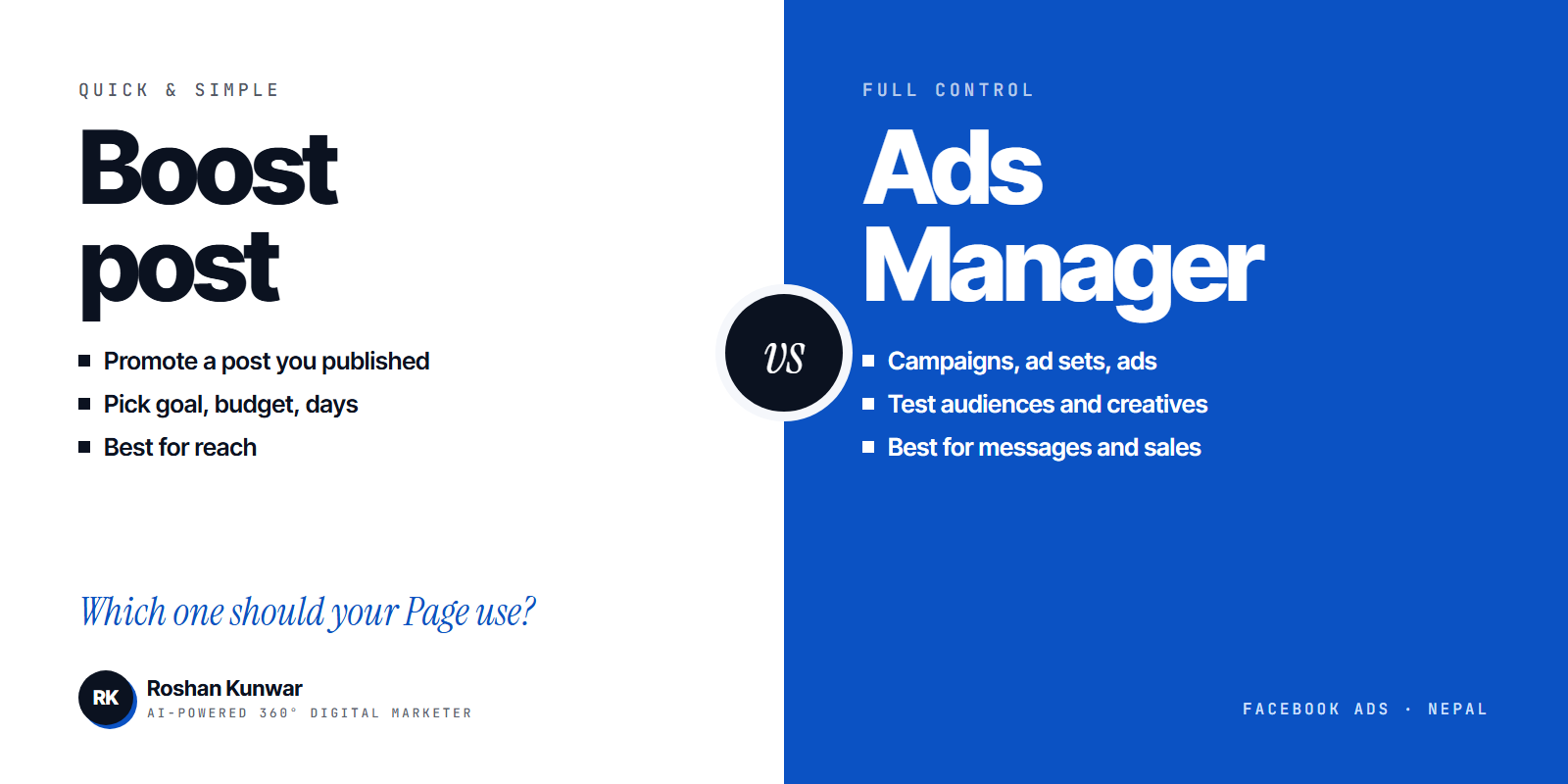
| Boost post | Ads Manager | |
|---|---|---|
| Starts from | A post already on your Page | New creative, or an existing post |
| Setup time | A few minutes | 20 to 60 minutes for a first campaign |
| Goals | A short list, or Facebook picks for you | Full set of objectives: awareness, traffic, engagement, leads, sales, app promotion |
| Audience | Advantage+ recommended or basic traits | Detailed targeting, custom audiences from your contacts or website, lookalikes |
| Structure | One post, one setting | Campaign, ad sets and ads, so you can test several audiences and creatives |
| Budget control | Daily budget and duration | Daily or lifetime budgets at campaign or ad set level, schedules |
| Creative control | Post as published, with Advantage+ creative on or off | Full control of format, text, headline, button and destination |
| Best for | Reaching more people with a post that already works | Messages, leads, website sales and anything you need to measure and improve |
On budgets, Meta's About budgets page explains something many people miss: Meta is introducing daily budget flexibility, so on some days it may spend up to 75% over your daily budget and less on others. Over a week it will not spend more than seven times your daily budget. So do not panic if one day's spend looks high.
Real numbers from Ads Manager campaigns
For UnlockSkill, I ran messaging campaigns in Ads Manager across Facebook and Instagram:
- $91.77 total spend
- 938 messaging conversations started
- $0.10 blended cost per conversation
These results came from the messaging objective, several ad variations and audience testing, which a plain boost does not allow. Your numbers will differ with your product, offer and season, so treat this as an example of what structure and testing can do, not a promise.
When boosting is the right choice
Boosting makes sense when:
- A post is already getting good organic comments, shares and saves.
- Your goal is reach or engagement rather than a tracked sale.
- You want to spend a small, fixed amount for a few days, for example a festival offer or an event.
- You do not yet have a pixel, a website or a product catalogue to connect.
Tips for a better boost:
- Pick the goal yourself instead of letting Facebook decide, and choose "messages" if you want chats.
- Boost from a computer or Android device, not the iPhone app, to avoid the Apple fee.
- Reply fast. A boosted post that brings messages nobody answers is wasted money.
When to move to Ads Manager
Move to Ads Manager when:
- You want a specific result such as messages, leads or purchases, and you want to lower the cost of each one.
- You want to test more than one audience or more than one creative at the same time.
- You want to retarget people who visited your website or messaged you before.
- You are spending more than a few thousand rupees a month and need proper reporting.
If you want ads set up this way without learning the tool yourself, see my social media marketing service. The Meta ads guide for Nepal walks through a full campaign setup.
A simple decision rule
Ask one question: do I want more people to see this post, or do I want more customers?
- More eyes on a good post: boost it, with a clear goal and a small budget.
- More customers: build a campaign in Ads Manager, test three or four ads, keep the winners.
Many businesses in Nepal do both. They boost organic winners for a few hundred rupees and run one always-on messaging campaign in Ads Manager for sales.
FAQ
How much does it cost to boost a post on Facebook in Nepal?
There is no set price. You choose a daily budget and how many days to run it, and Meta spends up to that amount. Results depend on your audience, competition and how people react to the post.
Is boosting cheaper than Ads Manager?
Boosting is faster, not cheaper. The cost per result is decided by the same auction. Ads Manager usually gives a lower cost per message or lead because you can pick the exact objective and test several ads.
Can I boost a post and later run it in Ads Manager?
Yes. Ads Manager lets you use an existing post as the creative for a new ad, so a post that did well as a boost can become part of a proper campaign with better targeting.
Why is my boost not available?
Some posts cannot be boosted, for example certain post types or posts that break ad policies. Meta's help centre lists the reasons. Fix the post or create a new ad in Ads Manager instead.