
"Domain registration Nepal free" is one of the most common searches from people building their first website. The good news is true: a .np domain costs nothing. The less advertised part is that the registry checks documents by hand, and many applications are rejected for small, fixable mistakes.
This guide walks through the whole process, from choosing the name to pointing the domain at your hosting. Every rule below comes from the official registry pages linked in each section, checked on 12 November 2026.
.com.np or .com: which one do you need?
Both work for a Nepali business. The difference is cost, paperwork and who you are trying to reach.
| .com.np (or other .np) | .com | |
|---|---|---|
| Cost | Free of cost from the registry | Paid every year to a registrar |
| Paperwork | Registration certificate or citizenship document | Usually none beyond payment |
| Approval time | At least 24 hours, sometimes longer | Usually minutes |
| Name rules | Must match your business, brand or personal name | Any available name |
| Signals | A business based in Nepal | International or neutral |
| Renewal | Reverification by the registry, no yearly fee | Yearly payment, or you lose it |
A practical answer for most small businesses: register the .com.np first because it is free and protects your brand name in Nepal. Add the .com later if you sell abroad or want the shorter address.
Which .np extensions can you choose?
The registry's policy page lists the main second-level extensions: com.np, org.np, edu.np, net.np, gov.np, name.np, coop.np and mil.np. Some are reserved. The registry's list of common rejection cases gives examples: .edu.np and .academy.np are for educational institutions, .org.np is for non-profit organisations, and .com.np is for commercial or general use. If the extension does not match the type of applicant, the request may be rejected.
The full list of .np extensions also shows that .com.np is an open extension that any person or entity can register, which is why individuals and non-profits use it too.
Documents you need
The how to register page lists the documents by type of applicant.
For a business or organisation (official request):
- Local company, firm, partnership or organisation: certificate of registration.
- Foreign entity registered in Nepal: certificate of registration of branch or liaison office, or certificate of affiliation with the Social Welfare Council.
- Non-incorporated entities such as permanent establishments: PAN registration certificate.
- Any entity with business interests in Nepal: trademark registration certificate, or the official filing receipt of a trademark application from the Department of Industry, with the actual certificate within 3 years.
The rejection list also says company requests need an official request letter printed on letterhead, with the organisation's stamp and an authorised signature.
For a person (personal request): the domain must be based only on your own name as written on your Nepalese citizenship, passport, driving licence, voter's card, Non-Resident Nepali ID card, or Nepalese resident visa for foreign nationals.
Uploads must be jpg, png, jpeg, gif or svg files of at most 800 kilobytes each.
Step-by-step: register a .com.np domain
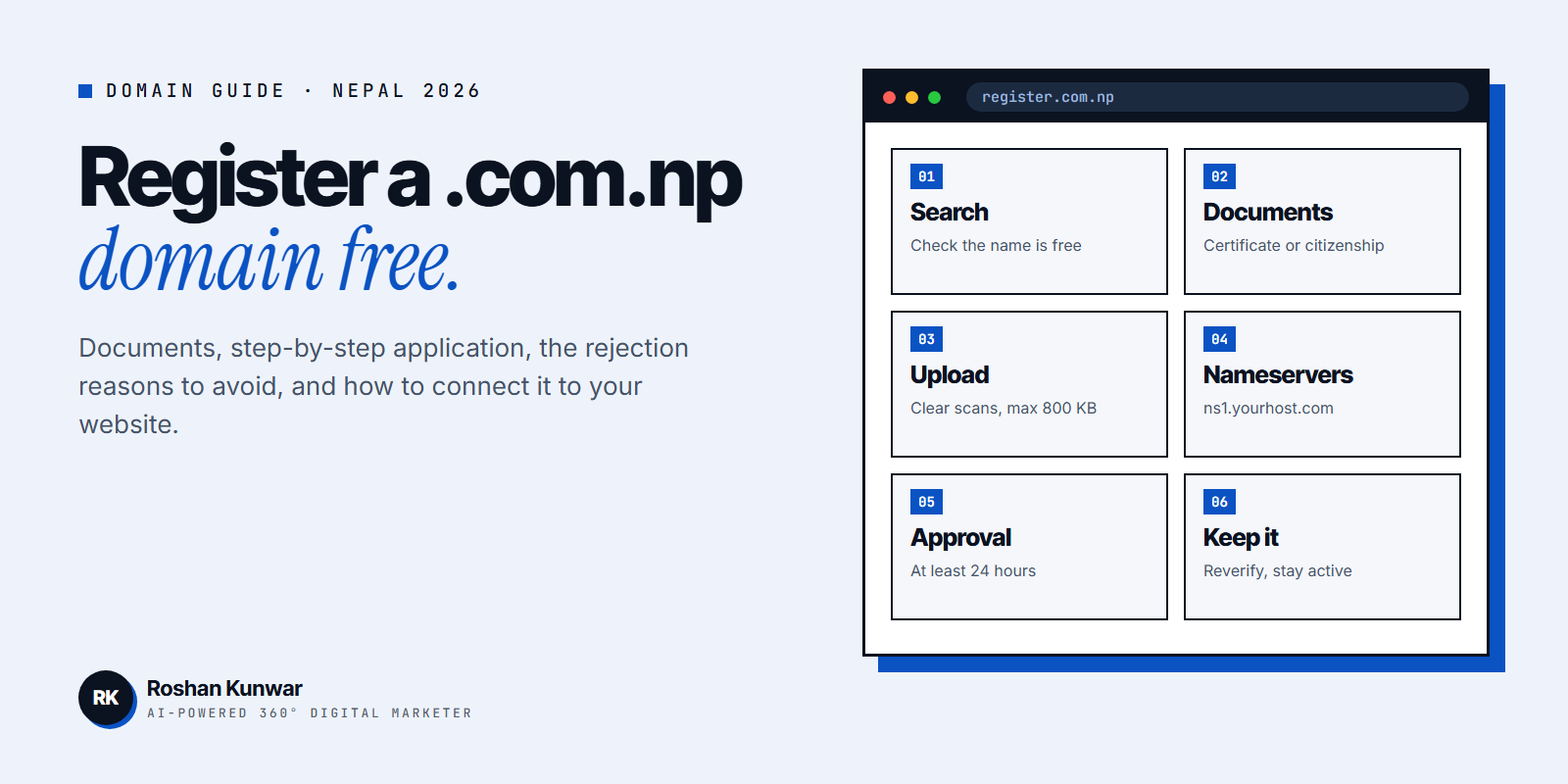
- Search the name. On register.com.np, type the name without www or the extension and check availability.
- Click Register Now if it is free. If not, try another name that still matches your documents.
- Create an account with your email address and a password, then verify the email.
- Fill the form. Enter the applicant details completely: full name, email and mobile number. Missing details are the first rejection reason on the registry's list.
- Add nameservers. Enter the two nameservers your hosting company gives you, such as ns1.yourhost.com and ns2.yourhost.com. You can ask your hosting provider or developer for these.
- Upload documents. Clear scans, all text readable, under 800 KB each.
- Submit and wait. The registry says it may take at least 24 hours, sometimes longer when many requests are pending. Watch your dashboard and email for messages from the hostmaster.
If you do not have hosting yet, you can still apply; ask your future web developer which nameservers to use so you do not have to change them later.
The 6 rejection reasons to avoid
The registry publishes 14 common rejection cases. These six cause most of the trouble for small businesses and individuals:
| Rejection reason | How to avoid it |
|---|---|
| Domain does not match the company registration | Use the exact company, brand, product or service name on your certificate |
| Personal domain does not match the ID | Use your own name as written on your citizenship or passport |
| Last name or caste name only | These are reserved for organisations representing that name; add your first name |
| Missing or invalid request letter | Print on letterhead with stamp and authorised signature |
| Blurry or incomplete documents | Scan in good light; make sure the name and number are readable |
| Nameserver entered as an IP address | Only fully qualified names such as ns1.example.com are accepted |
The registry's terms also set basic name rules: at least 3 characters, letters, numbers and hyphens only, and no hyphen at the start or end. Generic or offensive words are not registered.
After approval: connect the domain to your website
Your domain does nothing until it points at hosting. The registry's DNS page explains how to change nameservers later:
- Log in to the registry, open your domain list, choose the domain and click Edit DNS.
- Enter the nameservers in full name format. IP addresses are not accepted, and email requests are not processed.
- Nameserver requests are processed twice a day. After the change, the registry says propagation can take 24 to 48 hours.
- Do not submit the same change several times; the registry says repeated requests can delay it.
Once the domain works, set up a professional email on it and add it to your Google Business Profile, Facebook Page and business cards. For what the website itself costs, see website cost in Nepal.
Keep your domain: reverification and inactive domains
A .com.np domain does not expire like a paid .com, but it is not yours forever regardless of what you do:
- Reverification. The registry's reverification page says it started a periodic reverification process to find unused or parked domains. If your domain shows "Reverification" status in the dashboard, you must submit a request letter and ID (personal) or a letter on letterhead with registration documents (organisation). If you do not, the domain can be stopped or released.
- Renewal reminders. The registry homepage says it now records a renewal date and sends an email 15 days before expiry to the domain administrator.
- Inactive domains. The registry's terms state that if a domain has been inactive for 2 years, Mercantile has the right to transfer it to another user.
The simple protection: keep the administrator email current, keep a live website on the domain, and log in a few times a year to check the status. If you are building search traffic, losing the domain means losing everything Google has learned about it, which my guide to ranking a website on Google explains.
FAQ
Is .com.np domain registration really free?
Yes. The registry's policy and terms state that registration and modification under .np are free of cost. Mercantile provides it as a service to encourage Nepali businesses, organisations and individuals to get online. You still pay separately for hosting and website building.
Can I register a .com.np domain without a company?
Yes, as a personal domain. It must be based on your own name as written on your citizenship, passport, driving licence or similar ID. A brand name without a registration certificate or trademark filing will usually be rejected.
How long does .np domain approval take?
The registry says at least 24 hours, and sometimes longer when there are many pending requests. Rejected requests are not kept for more than three to four business days, so fix and resubmit quickly.
Why was my .np domain rejected?
The most common causes are a name that does not match your documents, unreadable scans, a missing request letter with stamp and signature, a surname-only personal domain, or nameservers entered as an IP address. The rejection message in your dashboard tells you which one.