Ask most small business owners in Nepal how they decide what to post and the honest answer is: "whatever comes to mind that day." That leads to long gaps, last-minute designs, repeated posts and missed festival seasons.
A content calendar fixes this. Searches like "content calendar template", "content calendar for social media" and "content calendar template google sheets" show many people want one. This guide gives you a free template structure you can build in Google Sheets in 15 minutes, a sample week, and a routine to keep it going.
What is a content calendar?
A content calendar is a schedule of your planned posts. For each post it shows the date, platform, topic, format, caption, visual and status. It can be as simple as a spreadsheet shared with your team.
| Without a calendar | With a calendar |
|---|---|
| Posting depends on mood and free time | Posting follows a weekly rhythm |
| Last-minute designs and captions | Content is created in batches, ahead of time |
| Festivals and offers are remembered too late | Seasonal posts are planned a month ahead |
| Same type of post again and again | A mix of content pillars |
| No idea what worked | Results recorded and reviewed monthly |
Step 1: Choose your content pillars
Content pillars are the 4 or 5 types of content you rotate. They keep your feed varied and make planning faster. Examples for a small business:
| Pillar | What it includes | Example for a café in Pokhara |
|---|---|---|
| Product or service | What you sell, features, prices | New seasonal drink with price |
| Education | Tips and how-tos related to your product | How to choose coffee beans |
| Proof | Reviews, customer photos, results | A guest's review with permission |
| Behind the scenes | Team, process, workplace | Morning baking routine reel |
| Offer or action | Discounts, events, bookings | Weekend live music, reserve a table |
Pick pillars that match your goal. If you need more enquiries, give more space to product, proof and offer posts. My social media marketing strategy guide explains how to set that goal.
Step 2: Build the template in Google Sheets
Create a new Google Sheet and add these columns in row 1:
| Column | What to write |
|---|---|
| Date | The day the post goes live |
| Day | Sunday, Monday... (helps you see the weekly pattern) |
| Platform | Facebook, Instagram, TikTok, LinkedIn, WhatsApp Status |
| Pillar | One of your 4 to 5 content pillars |
| Format | Reel, carousel, single image, story, text post |
| Topic / hook | The idea in one line, plus the first line people will see |
| Caption | Draft caption with call to action |
| Visual | Link to the design or video file in Google Drive |
| Status | Idea, In progress, Ready, Scheduled, Posted |
| Result | Reach, messages or clicks after 7 days |
Two simple improvements make it easier to use:
- Use Data → Data validation on the Platform, Pillar, Format and Status columns so they become dropdowns. This keeps entries consistent.
- Use Format → Conditional formatting to colour the Status column, for example green for Posted and yellow for In progress.
Add one tab per month, and one extra tab called "Ideas" where anyone on the team can drop post ideas.
Step 3: Decide how often to post
Choose a frequency you can keep for three months. Consistency matters more than volume.
| Business stage | Suggested starting rhythm |
|---|---|
| Owner doing everything alone | 3 feed posts per week + stories when possible |
| Small team or one marketer | 4 to 5 feed posts per week, 2 of them short videos |
| Active brand running ads | Daily stories, 5+ posts per week, fresh ad creatives monthly |
Do not copy the same caption to every platform. Adjust the length and format: short and visual for Instagram and TikTok, more detail for Facebook, professional for LinkedIn.
Step 4: Add key dates for Nepal
At the start of each month, mark the dates that matter to your customers:
- Festivals and holidays: Dashain, Tihar, Chhath, Holi, Nepali New Year, Lhosar and others relevant to your audience. Festival dates move each year, so check the official calendar and plan offers at least three to four weeks ahead.
- Your business dates: launches, new stock, anniversaries, course batches, events.
- Seasonal demand: wedding season, admission season, trekking season, winter clothing.
Then plan what comes before each date: teaser posts, the offer, reminders and a thank-you post after.
Step 5: Batch create and schedule
Pick one fixed time every week, for example Sunday morning, and:
- Fill next week's rows in the calendar.
- Write all captions in one sitting. AI can help with first drafts; see my ChatGPT for business guide for a prompt structure that works.
- Design all images or shoot all short videos together.
- Schedule Facebook and Instagram posts in Meta Business Suite, and change Status to "Scheduled".
Batching saves time because you switch tasks less, and it leaves your weekdays free for replying to messages and comments.
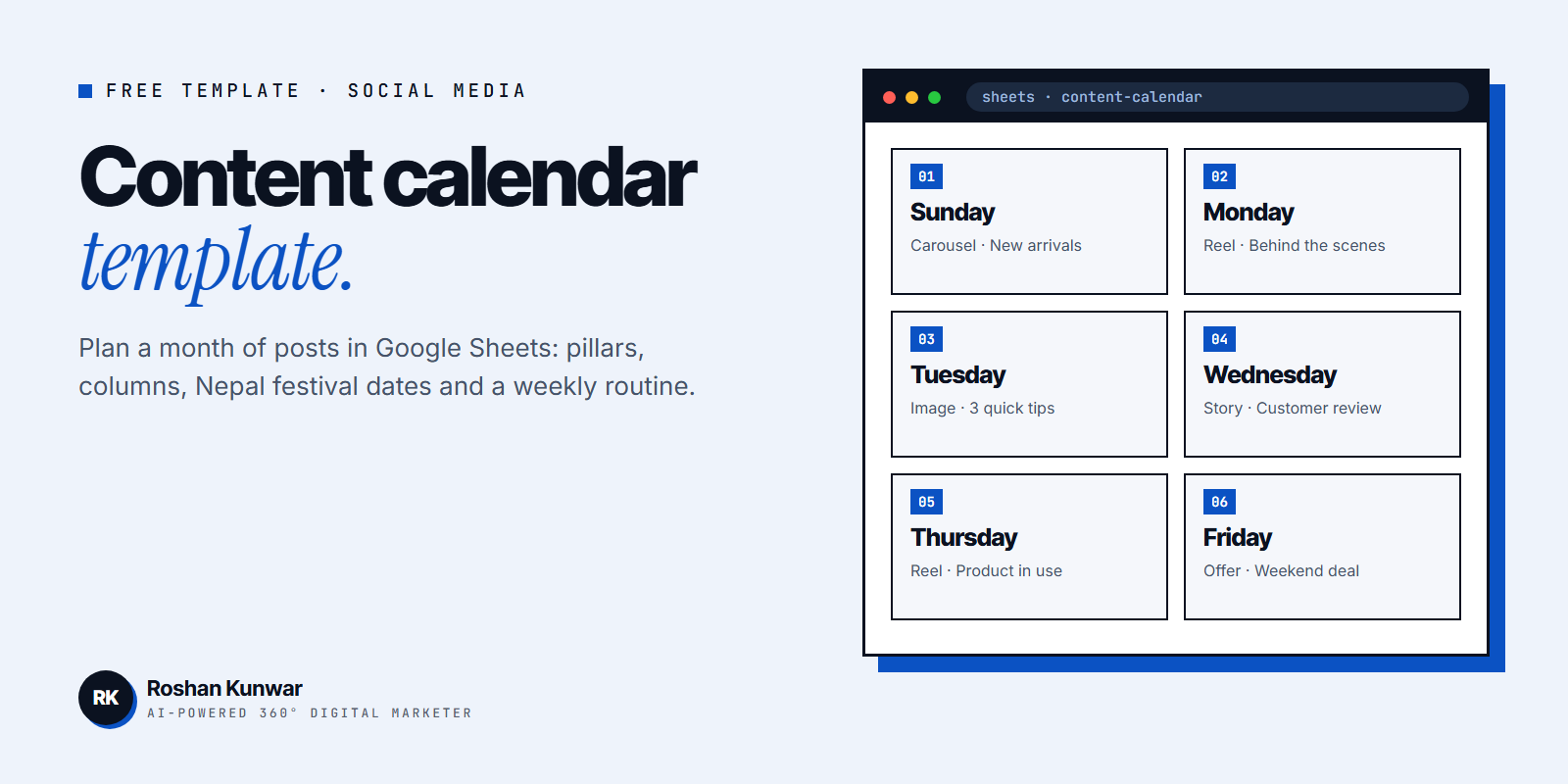
A sample week
| Day | Platform | Pillar | Format | Topic |
|---|---|---|---|---|
| Sunday | Facebook + Instagram | Product | Carousel | New arrivals with prices |
| Monday | Instagram + TikTok | Behind the scenes | Reel | How we pack orders |
| Tuesday | Education | Single image | 3 tips to choose the right size | |
| Wednesday | Instagram stories | Proof | Story | Customer review screenshot |
| Thursday | Instagram + TikTok | Product | Reel | Product in use, 15 seconds |
| Friday | Facebook + Instagram | Offer | Single image | Weekend delivery offer |
Step 6: Review every month
At the end of each month, look at the Result column and ask:
- Which pillar and format got the most messages or clicks, not only likes?
- Which posts got almost no reach? Stop or change those.
- Did we post as planned? If not, reduce the frequency to something realistic.
Use these answers to plan the next month. Your best organic posts are also good candidates for paid promotion, as explained in my Facebook boost vs Ads Manager guide.
FAQ
Is there a free content calendar template?
Yes. You can build one in Google Sheets with the 10 columns above. Google Sheets is free, works on phone and computer, and can be shared with your team or agency.
How far ahead should I plan social media content?
Plan the main themes, festivals and offers one month ahead, and create the actual posts one week ahead. This keeps you organised but still flexible for trends and news.
Do I need separate calendars for Facebook, Instagram and TikTok?
No. Use one calendar with a Platform column. You can filter by platform when you need to see one channel.
Can someone manage my content calendar for me?
Yes. A social media manager or agency usually plans the calendar, creates the content and schedules it for your approval. My social media manager guide explains what to expect.